[phpBB Debug] PHP Warning: in file [ROOT]/includes/bbcode.php on line 494: preg_replace(): The /e modifier is no longer supported, use preg_replace_callback instead
[phpBB Debug] PHP Warning: in file [ROOT]/includes/bbcode.php on line 494: preg_replace(): The /e modifier is no longer supported, use preg_replace_callback instead
[phpBB Debug] PHP Warning: in file [ROOT]/includes/bbcode.php on line 494: preg_replace(): The /e modifier is no longer supported, use preg_replace_callback instead
[phpBB Debug] PHP Warning: in file [ROOT]/includes/bbcode.php on line 494: preg_replace(): The /e modifier is no longer supported, use preg_replace_callback instead
[phpBB Debug] PHP Warning: in file [ROOT]/includes/bbcode.php on line 494: preg_replace(): The /e modifier is no longer supported, use preg_replace_callback instead
[phpBB Debug] PHP Warning: in file [ROOT]/includes/bbcode.php on line 494: preg_replace(): The /e modifier is no longer supported, use preg_replace_callback instead
[phpBB Debug] PHP Warning: in file [ROOT]/includes/bbcode.php on line 494: preg_replace(): The /e modifier is no longer supported, use preg_replace_callback instead
[phpBB Debug] PHP Warning: in file [ROOT]/includes/bbcode.php on line 494: preg_replace(): The /e modifier is no longer supported, use preg_replace_callback instead
[phpBB Debug] PHP Warning: in file [ROOT]/includes/bbcode.php on line 494: preg_replace(): The /e modifier is no longer supported, use preg_replace_callback instead
[phpBB Debug] PHP Warning: in file [ROOT]/includes/bbcode.php on line 494: preg_replace(): The /e modifier is no longer supported, use preg_replace_callback instead
[phpBB Debug] PHP Warning: in file [ROOT]/includes/bbcode.php on line 494: preg_replace(): The /e modifier is no longer supported, use preg_replace_callback instead
[phpBB Debug] PHP Warning: in file [ROOT]/includes/bbcode.php on line 494: preg_replace(): The /e modifier is no longer supported, use preg_replace_callback instead
[phpBB Debug] PHP Warning: in file [ROOT]/includes/bbcode.php on line 494: preg_replace(): The /e modifier is no longer supported, use preg_replace_callback instead
[phpBB Debug] PHP Warning: in file [ROOT]/includes/bbcode.php on line 494: preg_replace(): The /e modifier is no longer supported, use preg_replace_callback instead
[phpBB Debug] PHP Warning: in file [ROOT]/includes/bbcode.php on line 494: preg_replace(): The /e modifier is no longer supported, use preg_replace_callback instead
[phpBB Debug] PHP Warning: in file [ROOT]/includes/bbcode.php on line 494: preg_replace(): The /e modifier is no longer supported, use preg_replace_callback instead
[phpBB Debug] PHP Warning: in file [ROOT]/includes/bbcode.php on line 494: preg_replace(): The /e modifier is no longer supported, use preg_replace_callback instead
[phpBB Debug] PHP Warning: in file [ROOT]/includes/bbcode.php on line 494: preg_replace(): The /e modifier is no longer supported, use preg_replace_callback instead
[phpBB Debug] PHP Warning: in file [ROOT]/includes/bbcode.php on line 494: preg_replace(): The /e modifier is no longer supported, use preg_replace_callback instead
[phpBB Debug] PHP Warning: in file [ROOT]/includes/bbcode.php on line 494: preg_replace(): The /e modifier is no longer supported, use preg_replace_callback instead
[phpBB Debug] PHP Warning: in file [ROOT]/includes/bbcode.php on line 494: preg_replace(): The /e modifier is no longer supported, use preg_replace_callback instead
[phpBB Debug] PHP Warning: in file [ROOT]/includes/bbcode.php on line 494: preg_replace(): The /e modifier is no longer supported, use preg_replace_callback instead
[phpBB Debug] PHP Warning: in file [ROOT]/includes/bbcode.php on line 494: preg_replace(): The /e modifier is no longer supported, use preg_replace_callback instead
[phpBB Debug] PHP Warning: in file [ROOT]/includes/bbcode.php on line 494: preg_replace(): The /e modifier is no longer supported, use preg_replace_callback instead
[phpBB Debug] PHP Warning: in file [ROOT]/includes/bbcode.php on line 494: preg_replace(): The /e modifier is no longer supported, use preg_replace_callback instead
[phpBB Debug] PHP Warning: in file [ROOT]/includes/bbcode.php on line 494: preg_replace(): The /e modifier is no longer supported, use preg_replace_callback instead
[phpBB Debug] PHP Warning: in file [ROOT]/includes/functions.php on line 5348: Cannot modify header information - headers already sent by (output started at [ROOT]/includes/functions.php:3937)
[phpBB Debug] PHP Warning: in file [ROOT]/includes/functions.php on line 5348: Cannot modify header information - headers already sent by (output started at [ROOT]/includes/functions.php:3937)
[phpBB Debug] PHP Warning: in file [ROOT]/includes/functions.php on line 5348: Cannot modify header information - headers already sent by (output started at [ROOT]/includes/functions.php:3937)
Build Your Own SLA/SLS • Creation Workshop RC2 - For Testing
Page 1 of 2

Creation Workshop RC2 - For Testing

Posted: Tue Dec 17, 2013 5:31 pm
by PacManFan
12/17/2013 - Here's the latest build - Version 14 RC2 for testing purposes.

https://dl.dropboxusercontent.com/u/537 ... op_RC2.zip

I would greatly appreciate it if you could download and give it a try. I'm trying to fix some issues regarding displays being cropped on different resolution machines. If you find a bug, please post in this thread with a screen shot or two and let me know what resolution you're running.

Thanks!
BTW, No- the object CSG functions aren't usable yet, I'm finishing up those now.
-Steve

Re: Creation Workshop RC2 - For Testing

Posted: Tue Dec 17, 2013 9:34 pm
by sitzme
One feature request is a utility to upconvert existing settings when there is a new format. A stand alone utility would probably be fine instead of building it into CW. Or maybe make the first line of the file indicate the format so it can be converted automaticly.

ps 1280 x 1024 is the screen size in use when the move and rotate boxes got clipped. I didn't try any other resolution.

usb ir remote

Posted: Tue Dec 17, 2013 9:42 pm
by sitzme
A while back I built a setup to allow a person to control some lights and a tv using their foot to control a trackball. One of the parts was a USB IR transceiver. This might be a good way to support projectors since some don't have serial ports or are not documented. I don't know if any of the universal remotes can be controlled by usb not. The project that I did was about 6 years ago and is in the wind. http://www.usbuirt.com/ is the device that I used.

Re: Creation Workshop RC2 - For Testing

Posted: Tue Dec 17, 2013 10:30 pm
by PacManFan
Siztme - Did you have problems with the RC1 I posted a few days ago, or the link I just posted above for RC2? Or did you have issue with both? Can you post a screen shot?

Re: Creation Workshop RC2 - For Testing

Posted: Wed Dec 18, 2013 12:38 am
by sitzme
RC1. I will try RC2. Maybe tomorrow. I'm beat. On RC1 I got the same thing that Leinad78 shows in his screen shot.

Had a little more time.
Move and rotate controls display and work for me with RC2. Projector "show" and "show blank" toggle back and forth properly until you "hide" and then both show what ever the last state was.

Re: Creation Workshop RC2 - For Testing

Posted: Wed Dec 18, 2013 3:11 am
by Leinad78
hello steve,

i´ve been playing with RC2 right now and i ran into some small issues:
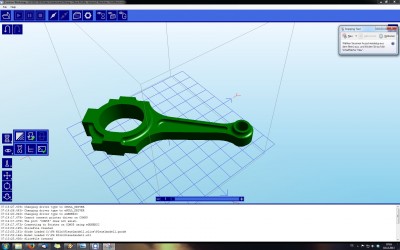
CW-R2-issue1.jpg


there is no explanation popping up on the lower right icon with the green "check" sign.

CW-R2-issue-support-delete.jpg


i haven´t found a way to remove support structure after it has been created in the case i don´t want it.

one last thing which i haven´t taken a screenshot of: lets assume i open a stl file and recognize that its the wrong one, i then open the right one, there seems to be no possibility to erase the first stl file?

one very last word from me after playing some more, i think the new design isn´t as intuitive as the first beta13

Re: Creation Workshop RC2 - For Testing

Posted: Wed Dec 18, 2013 3:59 am
by johnrpm
I may be wrong here, but to delete an item, select it in the tree, right click, remove.
it would be nice to delete multiple supports, instead of one at a time.

P.S, my focus is on building hardware, so may be wrong about CW.

Re: Creation Workshop RC2 - For Testing

Posted: Wed Dec 18, 2013 11:02 am
by PacManFan
I should really update the user guide.
In order to delete a model, you can double click on it and highlight it, and then press the delete key.
You can alternatively select it from the tree view, right click and select delete.
In order to remove all supports, go to the tree view, right click on the '3d Supports' node, and click the 'remove all supports' menu item.

Re: Creation Workshop RC2 - For Testing

Posted: Wed Dec 18, 2013 1:06 pm
by Leinad78
any hint where i can find the tree view? :shock: in beta13 it was obvious to see, but currently i can´t find it?!

(edit)

ok, found it Image

Re: Creation Workshop RC2 - For Testing

Posted: Tue Dec 24, 2013 11:33 am
by hp_
Hi Pacman,

first of all, thank you for this super slicer, i've been using it for a few weeks now, (beta 13)

when beta 13 starts up, it doesn't save my projector resolution it always goes back to the defaul setting. it doesn't influence my build area though that one stays the same